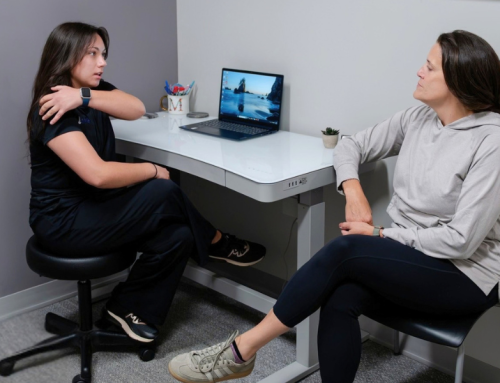


If you spend most of your day sitting at a desk, you’re not alone. Chiropractic for desk workers can help address many of the aches and pains that develop from prolonged sitting, repetitive movements, and less-than-ideal workstation setups. While you may not be able to change the demands of your job, you can make changes that help your body feel and function better throughout the workday.
Whether you work from home or in an office, understanding how your workspace affects your body is the first step toward reducing discomfort and preventing it from becoming a long-term problem.
Why Desk Work Can Be Hard on Your Body
Your body was designed to move—not stay in one position for eight or more hours each day.
When you sit for long periods, certain muscles become overworked while others weaken. Over time, this can contribute to:
- Neck pain
- Upper back stiffness
- Low back pain
- Shoulder tension
- Headaches
- Wrist or forearm discomfort
- Hip tightness
The longer you stay in one position, the more stress your muscles, joints, and connective tissues experience.
It’s important to remember that sitting itself isn’t necessarily “bad.” The real issue is staying still for too long without changing positions or moving regularly.
Common Signs Your Workstation May Be Contributing to Pain
Your desk setup may deserve a closer look if you notice:
- Pain that worsens throughout the workday
- Feeling stiff after sitting
- Frequent headaches by the afternoon
- Neck pain when looking at your monitor
- Rounded shoulders
- Tingling or numbness in your hands
- Relief when you get up and walk around
These symptoms often develop gradually, making them easy to ignore until they begin affecting your work or daily activities.
Quick Tip: If your discomfort consistently improves after moving around, your body may be asking for more movement—not necessarily more stretching.
How Chiropractic for Desk Workers Can Help
Chiropractic care focuses on helping your body move more comfortably and efficiently.
Depending on your individual needs, your chiropractor may assess:
- Your posture
- How your joints move
- Muscle tightness
- Areas of weakness
- Your work habits
- Your workstation ergonomics
Treatment may include:
- Chiropractic adjustments
- Soft tissue therapy
- Mobility exercises
- Strengthening recommendations
- Ergonomic education
- Activity modifications
Rather than simply addressing symptoms, the goal is to identify the factors contributing to your discomfort and help you develop strategies to manage them.
Many people find that combining chiropractic care with better workplace habits provides longer-lasting improvements than either approach alone.
6 Simple Ways to Make Your Desk More Comfortable
1. Position Your Monitor Correctly
Your monitor should be directly in front of you.
Aim for:
- The top of the screen at or slightly below eye level
- About an arm’s length away
- Minimal need to tilt your head up or down
2. Support Your Lower Back
Choose a chair that supports the natural curve of your lower back.
If your chair doesn’t provide enough support, a small lumbar pillow or rolled towel may help.
Your feet should rest flat on the floor (or on a footrest), and your knees should be approximately level with your hips.
3. Keep Your Keyboard and Mouse Close
Reaching forward throughout the day increases stress on your shoulders and neck.
Instead:
- Keep elbows near your sides
- Bend elbows about 90 degrees
- Keep wrists relatively neutral
- Avoid shrugging your shoulders while typing
4. Change Positions Frequently
There isn’t one “perfect posture” that should be maintained all day.
The best posture is your next posture.
Aim to:
- Stand every 30–60 minutes
- Walk for one to two minutes
- Alternate sitting and standing if possible
- Change positions throughout the day
Research consistently shows that regular movement breaks help reduce discomfort associated with prolonged sitting.
5. Strengthen the Muscles That Support Good Posture
Instead of focusing only on stretching tight muscles, strengthening can be equally important.
Examples include:
- Mid-back exercises
- Core strengthening
- Glute strengthening
- Shoulder stability exercises
Your chiropractor or rehabilitation provider can recommend exercises that match your needs.
6. Don’t Ignore Persistent Pain
Occasional stiffness after a long day is common.
However, pain that:
- Lasts several weeks
- Continues to worsen
- Interrupts sleep
- Causes numbness or weakness
- Limits daily activities
deserves a professional evaluation.
Early assessment often makes it easier to address contributing factors before they become more significant.
Does Working From Home Change Anything?
Working remotely often creates new ergonomic challenges.
Many people work from:
- Kitchen tables
- Couches
- Countertops
- Dining room chairs
- Laptops without external keyboards or monitors
While these setups may be convenient, they can encourage awkward positions for long periods.
If you work from home, consider investing in:
- An adjustable chair
- An external monitor
- A wireless keyboard and mouse
- A laptop stand
- Proper lighting to reduce leaning forward
- A sit-to-stand desk/mount
Small improvements can make a noticeable difference over time.
When Should You See a Chiropractor?
You don’t need to wait until pain becomes severe. Chiropractic for desk workers may be worth considering if your discomfort keeps returning or begins interfering with your workday.
Consider scheduling an evaluation if:
- Your pain returns repeatedly
- You feel stiff every workday
- Your posture feels difficult to maintain
- Headaches are becoming more frequent
- You’re unsure whether your workstation fits your body
A chiropractor can also assess your workstation and provide individualized recommendations based on your height, job demands, and movement patterns.
Sometimes a few small adjustments to your workspace can reduce unnecessary strain and help you feel more comfortable throughout the day.
The Bottom Line
Desk work doesn’t have to mean living with constant neck pain, headaches, or back stiffness.
Regular movement, an ergonomic workstation, and chiropractic care for desk workers can work together to reduce strain and help you stay comfortable throughout the workday.
If you’re noticing recurring discomfort while working, don’t ignore it. An assessment can help identify the factors contributing to your symptoms and create a plan that fits your job, your body, and your goals.
If you’re experiencing pain during the workday, book an appointment at Pinnacle Hill Chiropractic or ask your provider to evaluate your workstation and ergonomics. Small changes today may help you stay healthier and more comfortable for years to come.